
Write it down before you buy it.
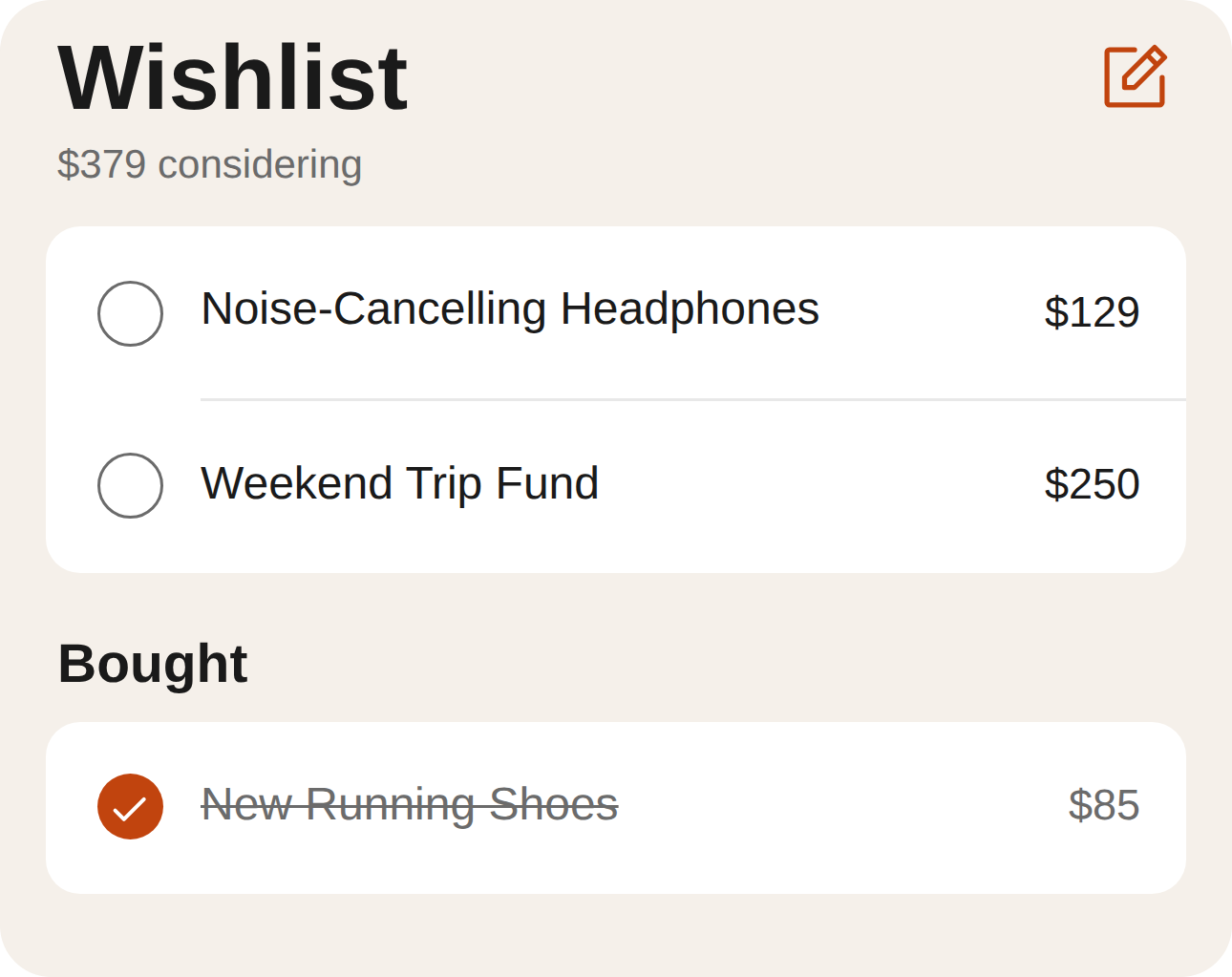
Add what you are thinking about buying, with a price, and see the total you are considering at a glance. Tick it off when you buy it and it moves to Bought. Free to start, 14-day trial either way.


'I'll remember' is how impulse buys start.
Wants vanish into notes apps
A wishlist inside your money app sits next to your balance, your goals and your budget, not in a note you will never reopen.
You lose track of the total
Truve adds up what you are considering, so you see the real number — not just one price at a time.
Bought things stay on the list
Tick an item and it settles into a Bought section, crossed out, so the list stays about what is next.
A wishlist you will actually use.
- 1
Add what you want
Type the name, then the price, and keep going — each item goes straight onto the list.
- 2
Link it and add a note
Open an item to see what it costs, link it to one of your goals, and write yourself a note.
- 3
Tick it off
When you buy it, tick the circle. It moves to Bought, crossed out.
Free to download. 14 days free either way.
No feature splits hidden until checkout — here's exactly what each plan includes.
- All accounts, spending & budgeting
- One savings or debt-payoff goal
- Upcoming bills & subscriptions
- Ask Iris
- Everything in Basic
- Multiple goals at once
- Subscription ROI Tracker
- Data export
- Partner mode: combined balances & shared goals
What people ask before they start.
Is the wishlist separate from my goals?
Yes. A wishlist is for what you are thinking about buying, kept apart from your savings and debt goals. If a wish belongs to one of your goals, you can link it.
What happens when I buy something?
Tick the circle next to it. The item moves to a Bought section, crossed out, and the list goes back to being about what is next.
Can I add notes to an item?
Yes. Open an item to see what it costs, link it to a goal, and write a note.
Can I delete an item by accident?
No. Removing an item asks you to confirm first.
What does Truve cost?
Truve is free to download. Truve Basic is $9.99/mo and Truve Pro is $14.99/mo, and both start with a 14-day free trial.